
A label maker is only as useful as the roll inside it. The machine defines a narrow set of compatible supplies — width range, core size, maximum roll diameter and sensor type — and a roll outside that set will jam, feed blank or not fit at all.
This page covers what to check before buying rolls, and how to choose between direct thermal and thermal transfer for the life you need.
Four numbers that decide compatibility
Maximum media width sets the widest label the machine can hold. Core diameter must match the spindle — a 25 mm core will not sit on a 40 mm spindle without an adapter. Maximum roll outside diameter limits how much stock fits in the compartment; an over-size roll may not close the lid. Sensor type determines whether the machine can find the gap between labels, needs a black mark, or expects continuous stock. Getting any of these wrong produces the same symptom — blank feeds or a label that stops mid-print.
Direct thermal or thermal transfer
Direct thermal needs no ribbon: the paper darkens in the print head. It is the cheapest way to print a shipping label and it is what most desktop label makers use. The trade-off is image life — heat, sunlight and abrasion fade it, and a label left on a dashboard can go blank in weeks. Thermal transfer uses a ribbon and produces a durable image on plain or film stock, but only in machines built for it. If the label must survive a year in a warehouse or on a product, transfer is the safer choice.
Sizes that cover most desktop work
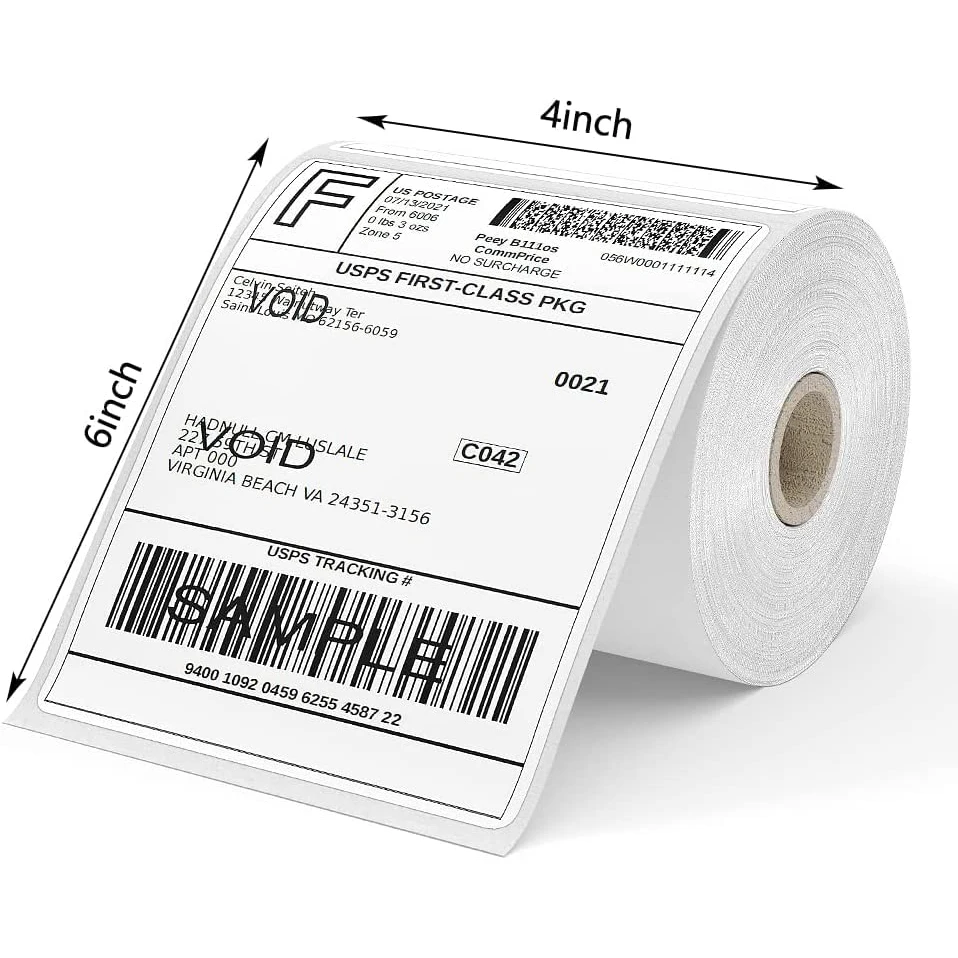
4 x 6 inch is the standard parcel label and fits most shipping workflows. 2.25 x 1.25 inch is the common address and small-goods size. 1 x 2.625 inch and 2 x 1 inch cover barcodes, pricing and cable or sample identification. Continuous stock in 50 mm or 62 mm width suits flexible lengths. Choosing a standard size keeps you inside ready-made templates and printer presets, which is where most alignment and scaling problems begin.
Why prints come out faint or blank
Faint output on direct thermal usually means the print head needs cleaning, the density setting is low, or the stock is not thermally coated — plain paper will never darken. Blank output with a transfer printer usually means a missing or wrong ribbon, or the ribbon is loaded on the wrong side. A label that prints then stops halfway is a sensor problem: the gap is not being detected, often because the label size in the driver does not match the physical stock.
When a label maker stops being enough
Desktop makers are excellent up to a few hundred labels a day. Beyond that, print head width limits, manual roll changes, lower duty cycles and limited resolution for small barcodes start to cost time. An industrial printer with a 4-inch head, larger roll capacity and a stronger peeler pays back quickly in labour once volume is consistent. The supplies are the same family — the difference is throughput, not material.
Ähnliche Produkte



FAQ
Can I use any label roll in my label maker?
No. Width range, core diameter, maximum roll diameter and sensor type must all match the machine. A roll outside the range will not feed correctly.
Direct thermal or thermal transfer for shipping labels?
Direct thermal for short-life shipping labels where cost matters; thermal transfer where the label must stay legible for months or face heat and abrasion.
Why do my thermal labels print blank?
Either the stock is not thermally coated, the head is dirty, or — on a transfer printer — the ribbon is missing or loaded on the wrong side.
Can I cut continuous stock to any length?
Yes, if the printer supports continuous media with a cutter. Set the media type to continuous so the sensor stops looking for a gap.
Verwandte Materialien
Ähnliche Beiträge
Wie verhindert man das Verblassen adhäsiver Thermopapierrollen?
Discover proven methods to stop thermal paper rolls from fading. Use quality materials, optimize storage, and apply protective coatings for long-lasting labels. Learn more.
Warum lässt sich ein Thermoetikett für Logistikaufträge schnell drucken?
Need faster label printing in logistics? Thermal labels eliminate ink drying & ribbon alignment—cutting print time by 60%. Boost throughput now.
Anwendungen von Thermotransfer-Etiketten in der Fertigung
Struggling with label durability, traceability, or compliance in manufacturing? Thermal transfer labels solve moisture, smudge, and barcode-read issues. Boost ROI & uptime—get your custom solution today.
Ähnliche Suchbegriffe
Tell us the label maker model — we will confirm roll width, core and sensor type, and quote compatible stock in direct thermal or transfer.